
You can show useful work before you have a client. Start with one realistic task, finish the deliverable, and explain the decisions behind it. A clearly labelled practice project gives someone something concrete to review.
Use the finished sample to explain how you approach a task and review your work. A focused project makes those choices easier to see.
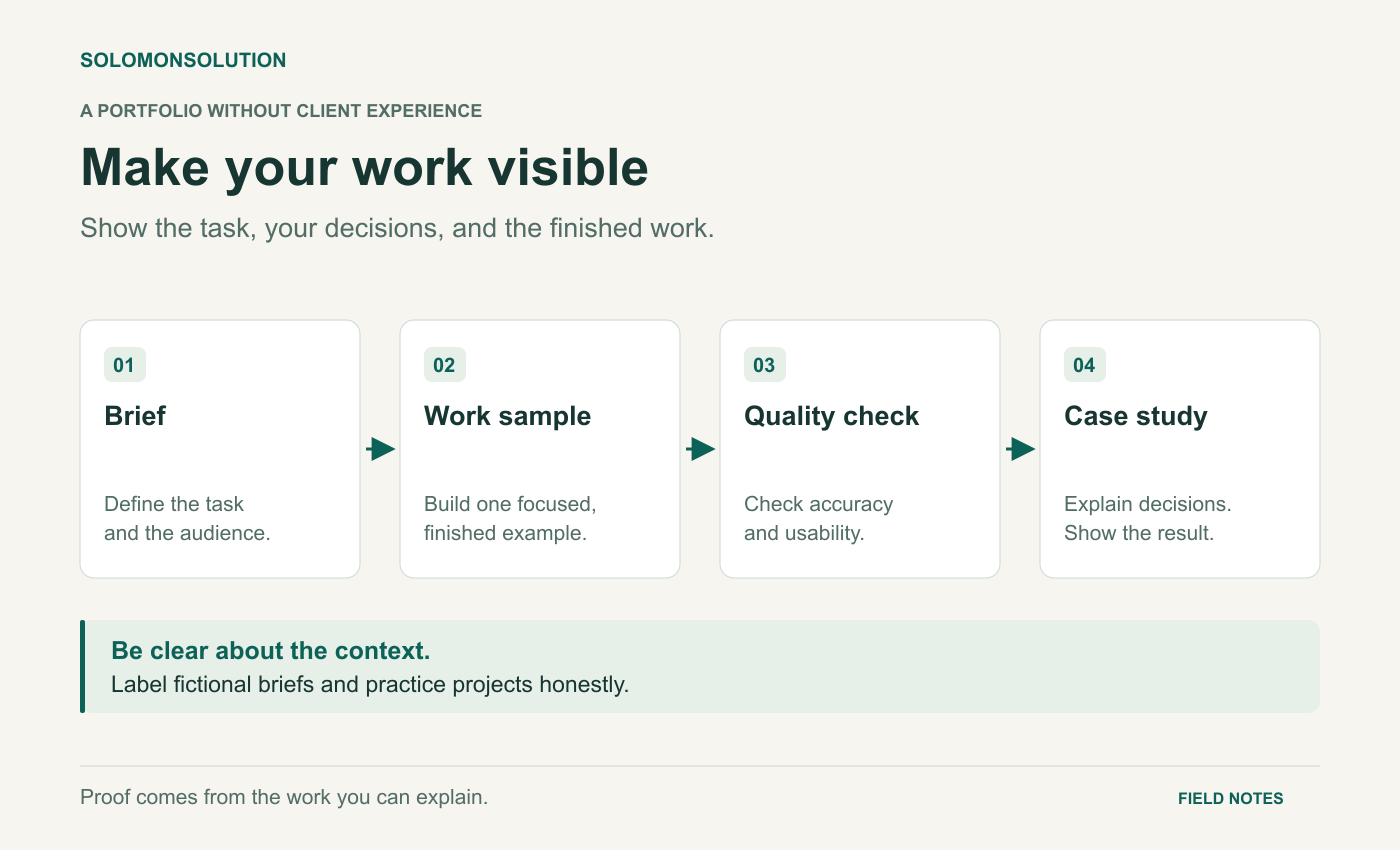
Diagram text description
A portfolio can start with a fictional brief. Define the task and audience, create a focused work sample, check it for accuracy and usability, then publish a case study that explains your decisions and shows the finished work. Label it as a practice project.
1. Choose a deliverable someone can inspect
Pick the kind of task you want to do next. Avoid a portfolio that mixes unrelated samples without explaining the service. If you are exploring virtual assistance, a meeting preparation pack is more informative than a page that only lists software you recognise.
Upwork’s own portfolio guidance says personal projects and mock work can be included when you have no client experience, provided you label them clearly. That supports using practice work honestly; it does not turn a fictional project into client experience. Read Upwork’s portfolio guide.
| Skill direction | Deliverable | What a reviewer can assess |
|---|---|---|
| Virtual assistance | A meeting agenda and action tracker | Organisation, clarity, follow-up |
| Content support | A short article and editing notes | Structure, source use, writing |
| Operations support | A cleaned fictional request log | Consistent data and sensible priorities |
Choose one. Give yourself a defined scope that you can finish and review. A complete small sample is easier to assess than an ambitious project with missing sections.
2. Write a brief before opening the tool
A brief gives the work a purpose and makes your choices understandable. Specify the audience, the required output, the constraints, and what counts as finished. Use fictional organisations and invented data so you can share the complete sample without exposing anyone’s information.
This brief tests specific skills. You need to fit the agenda into the available time, write actions clearly, and check that the follow-up agrees with the tracker. These are reviewable decisions even though the business is fictional.
Write down assumptions as you work. For example: “I assumed the meeting owner will confirm deadlines before sending.” Acknowledging a missing fact demonstrates judgment and prevents your sample from quietly inventing authority.
3. Make the work easy to review
Present the finished deliverable first. Include a readable screenshot or preview, then a link to the full sample if appropriate. Crop empty screen space and make sure text remains legible on a phone. Add a short caption explaining what the image shows and useful alt text for readers who cannot see it.
A short screen recording can help when the work has an important sequence, such as moving a request from intake to completion. Show the sequence and explain one decision. A static agenda usually needs a readable preview instead of a long walkthrough.
If you use Google Drive, choose the sharing role deliberately. Google distinguishes viewer, commenter, and editor access. For a finished sample, check that your intended reviewer can open it without accidentally giving editing access. Account administrators may restrict external sharing. See Google’s file-sharing instructions.
Test the link while signed out or in a separate browser profile. Check every tab and attachment. Put the project label inside the document as well as on the portfolio page, so the context survives if the file is downloaded.
4. Explain the project in a short case study
Keep the explanation specific enough that another person could understand the work without asking you to narrate every step.
- Task
- What did the brief require, and who was the work for?
- Your contribution
- What did you personally create? Identify templates, collaborators, or tools that materially contributed.
- Decisions
- Why did you choose this structure? Name one tradeoff.
- Checks
- What did you review or test before calling it finished?
- Limits
- What would require a real client’s confirmation?
For the meeting pack, a useful result is: “Created an agenda with a 30-minute total and a tracker with an owner and next action for every task.” Avoid claims such as “saved the team five hours” when no team used the work and no saving was measured.
End with one improvement you would make after feedback. You could test whether another person can find their action quickly, or ask whether the agenda gives enough time to the most important decision.
5. Check before you share
- The title names the deliverable and relevant skill.
- The sample is clearly labelled as practice or fictional work.
- The files contain no private data or unlicensed material.
- The preview is readable and has useful alternative text.
- The links work for the intended audience.
- The case study separates observed facts from assumptions.
- The work includes a visible quality check.
Publish the sample when it meets the brief, then improve it using feedback. Build the next piece around a different task within the same service, rather than adding variations that show the same thing.